


Acer UT222Q 22" FHD Touchscreen IPS Multimedia Monitor
Eligibility: Everyone qualifies! No Academic ID required
Acer UT222Q 22" FHD Touchscreen IPS Multimedia Monitor (UM.WW2AA.001)
The Acer UT222Q introduces a premier, hardware-accelerated 21.5-inch smooth multi-touch display workstation engine custom-engineered to handle continuous collaborative classroom lecturing, complex whiteboard annotations, and multi-window distance learning streams smoothly without rendering lag. Designed specifically for modern school computer laboratories, university testing centers, and interactive administrative kiosks, this compact multimedia terminal transitions standard presentation benches instantly into highly engaging learning stations. The specialized display node serves as an essential primary operational utility during real-time lesson delivery, tracking multi-user group files, or orchestrating multi-tab educational timelines, updating pixel matrices the exact millisecond a speaker touches the screen surface canvas. By surrounding the operator with a vibrant, high-density panel core and a sprawling 21.5-inch widescreen layout, this model addresses the motion blurring, touch input delays, and calibration drift common to lower-tier consumer displays, giving technical procurement directors a long-lasting multimedia hardware asset to deploy safely across their facility infrastructure.
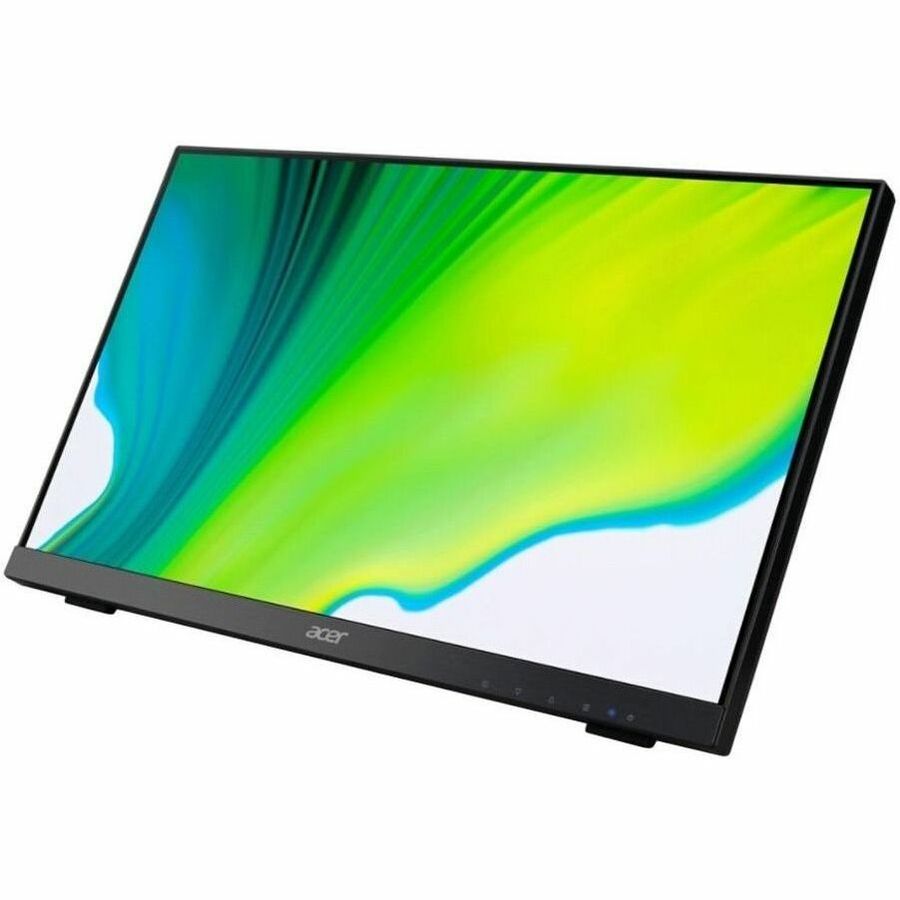


Constructed around a high-performance 21.5-inch display panel core delivering a native 1920 x 1080 Full HD resolution canvas and driven by a responsive multi-touch matrix, this premium visual hub ensures exceptional hardware-level reliability under grueling workloads. The visual processing core manages daily application pipelines and presentation windows concurrently by displaying crisp, uncompressed pixels across a native 16:9 widescreen canvas, utilizing a wide color gamut coverage matrix and factory-calibrated color accuracy to keep text tracking, creative documents, and high-definition video assets perfectly sharp and readable cleanly from multiple viewing angles. Interactive tracking works in perfect synchronization with an ultra-responsive 10-point capacitive touch matrix custom-tuned to drop writing trailing, eliminate input stuttering artifacts natively, and protect student physical focus cleanly during intensive whiteboard testing blocks under intense ambient lighting. The physical terminal architecture wraps these intensive processing circuits inside a structurally reinforced minimal-bezel chassis enclosure casing, passing uncompressed streams and currents cleanly down advanced high-speed digital interconnect rails to ensure total class-compliant network device interconnectivity from day one.
Turnkey multi-input system display synchronization, direct out-of-the-box driverless system configuration parameters, and a highly adjustable ergonomic dual-hinge layout stand make this interactive monitor an incredibly efficient procurement choice that slashes layout configuration bottlenecks. The display completely eliminates separate device configuration clutter and tangled wiring block lines by embedding dual high-fidelity stereo speakers directly inside the chassis shell, meaning any technical coordinator, instructor, or student helper can initialize the system and instantly achieve full performance up-times without waiting out software configuration delays. Designed to rest smoothly onto standard administrative countertops, fit cleanly inside rolling cart inventory bins, or tilt flat for drafting layouts, this high-performance computing node leverages an advanced anti-glare screen coating to eliminate harsh office overhead reflection glare, solving the issue of eye exhaustion common to lower-tier equipment. By matching professional color reproduction accuracy with effortless hardware-level device interconnectivity, this display accessory significantly cuts down on technical support tickets and reduces classroom operational downtime, making it a highly reliable administrative and instructional investment.
Key Features include:- ✨ Responsive 10-Point Capacitive Multi-Touch Interface: Premium touch-sensitive display matrix custom-engineered to deliver instant, lag-free digital ink strokes, intuitive palm-rejection logic, and perfect handwriting legibility natively.
- 📐 Crisp 21.5" Full HD (1920 x 1080) Widescreen Canvas: High-utility IPS display panel engineered to maximize available reading boundaries, protect text legibility, and maintain strict color fidelity fluidly across multiple viewing angles.
- 🔥 Flexible Ergonomic Folding Tilt Dual-Hinge Stand: Heavy-duty mechanical mounting base custom-vetted to let the panel tilt back fluidly up to 70 degrees or lay completely flat to optimize drafting and interactive touch tracking.
- 🔌 Multi-Port High-Speed Digital Inputs Interface Hub: High-tier connection network configured with native digital HDMI and VGA interface slots to interface flawlessly with modern desktop towers and legacy computing lines safely.
- 🔊 Integrated Studio Workspace Stereo Audio Speakers: Embedded multi-channel audio speakers custom-calibrated to deliver crisp speech legibility and clean system sounds fluidly without requiring messy external desktop wire arrays.
- 📐 Sleek ZeroFrame Borderless Mechanical Profile: Highly compact mechanical bezel layout engineered to maximize available display area acreage, reduce distraction borders, and streamline seamless multi-monitor desk configurations.
- 👁️ Acer VisionCare Intelligent Comfort Subsystem: Advanced background system logic certified to minimize screen flickering and automatically reduce harsh blue light emissions to protect eyesight cleanly during extended testing blocks.
- ☀️ Advanced Anti-Glare Matte Surface Treatment Screen: Resilient physical layer optimized to deflect harsh office overhead lights, eliminate reflection paths, and protect long-term visual focus seamlessly.
- 🧱 Versatile 100x100mm VESA Wall Mount Grid: Pre-drilled chassis framing holes integrated along the rear shell to permit immediate deployment onto permanent wall brackets or heavy-duty rolling presentation media stands natively.
- 📋 USB Touch Back-Channel Logic Interface: Integrated USB upstream data bus designed to route multi-touch spatial telemetry back to your host Windows or macOS hardware engine instantly without lag blocks.
Specifications:
| Specification | Details |
|---|---|
| Brand / Publisher | Acer Inc. |
| Model / SKU Configuration | UT222Q Touch Series / Model: UT222Q / Part Number: UM.WW2AA.001 / 21.5-Inch Full HD Interactive Multi-Touch Monitor |
| Device Classification | Class-Compliant Multi-Touch Media Center Infrastructure Hardware / 21.5-Inch Full HD IPS Display Screen Panel / Interactive Smart Board Terminal |
| Display Panel Engineering | 21.5-Inch Full HD Active-Matrix TFT IPS Technology Display Canvas (1920 x 1080 Native Resolution, 16:9 Widescreen Aspect Ratio, 60Hz Native Refresh Rate Core, 4ms GtG Response Time, 178° Horizontal and Vertical Wide Viewing Spheres) |
| Interactive Touch Core | 10-Point precision capacitive touch tracking framework (Supports simultaneous multi-user gestures, advanced palm-rejection algorithms, and driverless passive stylus tracking loops) |
| Audio Speaker Performance | Integrated Stereo Audio Amplifiers / Sound Output Power: 4 Watts Total (2W x 2 Channels Dual Speakers) / Optimized internal acoustic cavities for tracking vocal frequencies |
| Connectivity Interfaces Matrix | Video Inputs: 1 x HDMI, 1 x Analog D-Sub 15-pin (VGA) | Audio: 1 x 3.5mm Audio Line-In, 1 x Audio Line-Out | Data: 1 x USB 2.0 upstream port (enables touch feedback logic connection loops back to client PCs natively) |
| Platform Cross-Compatibility | Turnkey driverless cross-compliance across modern Microsoft Windows 10/11, Apple macOS, and Google ChromeOS platforms; fully plug-and-play via USB upstream cable link without external software dependencies |
| Box Contents | 1 x Acer UT222Q Touchscreen Monitor Panel with integrated dual-hinge stand base, 1 x High-Speed HDMI Interconnect Cable, 1 x USB Upstream Cable (Enables touch logic feedback), 1 x Grounded Main AC Power Supply Input Cord, 1 x Quick Start Reference Setup Guide |
| Physical Specifications | Net Sizing with Stand (W x H x D): Approximately 19.30 x 11.70 x 1.90 inches bounds (~490.2 mm x 297.2 mm x 48.3 mm) | Combined Mechanical Net Weight Baseline: Solid ~7.10 lbs (~3.22 kg) | VESA Wall Mounting Grid Pattern: 100 x 100 mm | Premium structural matte black texturized polycarbonate unibody protection enclosure equipped with a borderless glass facade, lower input controllers, rear structural VESA mounting anchor threads, and internal speaker cavities safely |
💡 PRO TIP #1: PREVENT DISPLAY PORT SIGNAL DROP DAMAGE BY ROUTING SIGNAL CABLES AWAY FROM HIGH-VOLTAGE POWER BRICKS! 💡
This professional-grade active multi-touch monitor arrives fully optimized for immediate digital deployment right out of the packaging, ensuring elite display performance and immediate hardware responsiveness. While the heavy-duty shielding on the internal processing core tracks pixel and touch information beautifully, bundle-routing your high-bandwidth HDMI or USB upstream interface signal lines directly parallel to thick, high-voltage AC desktop power cords or heavy electrical extension cables behind your display stand will expose your video feed to localized electromagnetic cross-talk interference—resulting in minor touch tracking latency or visual artifact distortion. To guarantee a completely seamless data transmission layout and eliminate temporary screen-blanking flashes or touch logic dropouts from day one, we highly recommend routing all media interconnect cables at strict 90-degree right angles across any intersecting facility power cords. Isolating your video and touch data tracks cleanly eliminates electrical signal fluctuations and protects your auxiliary digital workspace assets with complete functional composure.
💡 PRO TIP #2: MAXIMIZE WORKSPACE DESK REAL ESTATE BY BUNDLING AN ARTICULATING VESA MULTI-MONITOR DESK MOUNT! 💡
While the highly flexible mechanical dual-hinge stand included with this 21.5-inch touch display balances the chassis beautifully and permits deep drafting tilts on flat surfaces, resting the stand footprint directly on your desk surface naturally consumes a massive amount of valuable tabletop acreage and limits your secondary rotation tracks out of the box. To achieve absolute desk real estate optimization, unlock full multi-directional positioning capabilities, and completely eliminate technical support user viewing posture fatigue from day one, we highly recommend expanding your checkout order with a Premium Single or Dual-Monitor Desk Mount Arm Stand. Bolting an adjustable, gas-spring mechanical arm straight to the edge of your workstation countertop lets you lift your interactive touchscreen completely off the desk surface surface natively—allowing you to fluidly position your high-definition canvas at perfect ergonomic eye levels for typing or pull it downward for natural stylus drawing, route interface lines invisibly through internal tracks, and manage your display workspace layout with complete structural composure.


